Security Score
DDMARC scores each domain out of 100 and converts that number into a letter grade. This page explains exactly what is measured, how many points each check is worth, and which checks are deliberately excluded from the score.
Two scores, two questions
The product calculates two related numbers. They usually move together, but they answer different questions, so it is worth knowing which one you are looking at.
DNS health score
“Are my records configured correctly?” Built from the last DNS check for the domain across the five categories below. Shown on the Domains page health card and in each domain's detail view.
Compliance score
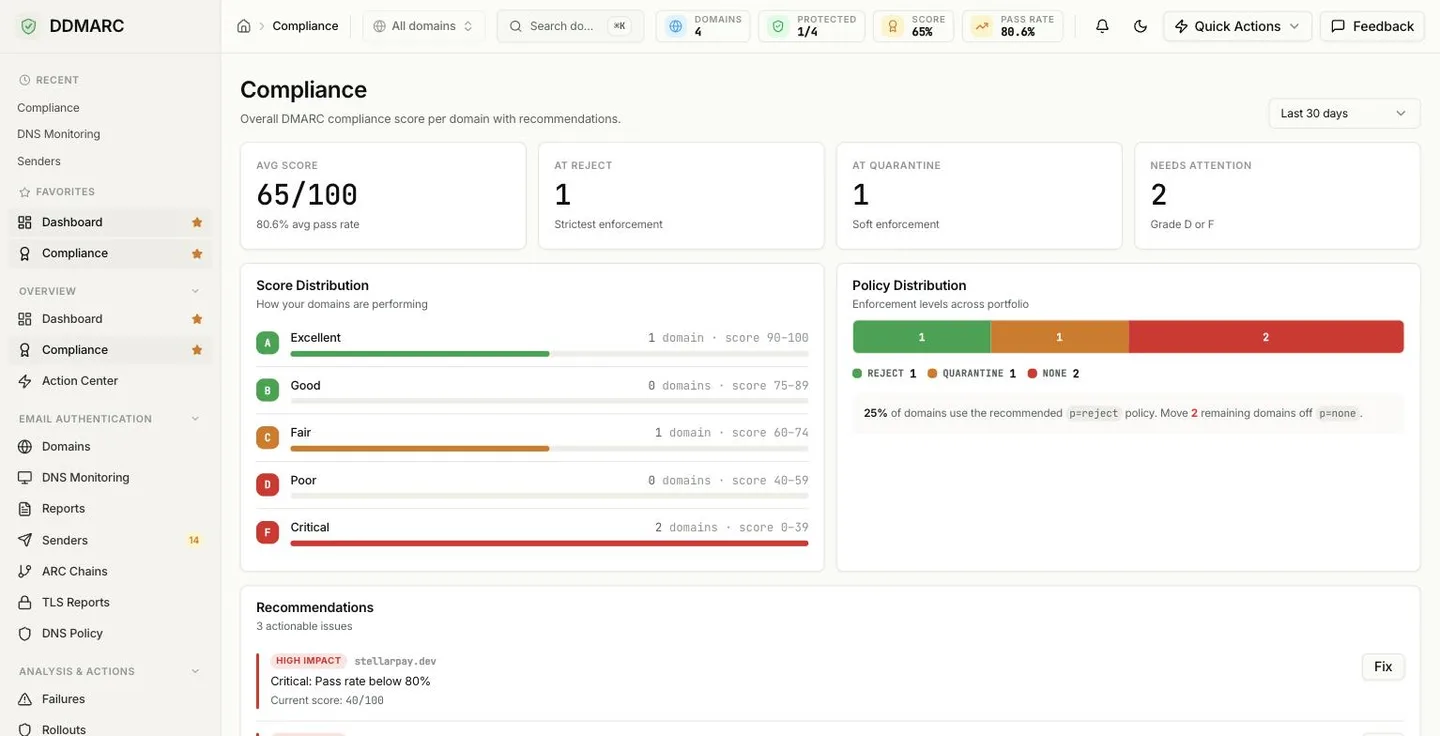
“Is my mail actually authenticating?” Starts at 100 and subtracts penalties for missing records, weak policy, and low pass rates. Drives the Compliance KPI tile, the Compliance Overview card, and the Compliance page.
Letter grades
Both scores use the same letter-grade thresholds. The DNS health score adds one extra band: A+ at 95 and above.
A
90-100
Excellent
B
80-89
Good
C
70-79
Fair
D
60-69
Poor
F
0-59
Critical
The Action Center buckets domains on a different scale: Critical is a score below 50 and Warning is 50-74. Those are triage bands for prioritising work, not letter grades — do not read them as the same scale.
What the DNS health score measures
Five categories, weighted to a total of 100. There is no “domain coverage” factor and no credit for simply having reporting addresses configured — every point below comes from a specific check.
DMARC
Record present, policy strength, subdomain policy, and your observed DMARC pass rate.
HOW POINTS ARE AWARDED
- Record published: +10 (missing costs you the category)
- Policy: p=reject +10 · p=quarantine +5 · p=none +2
- Subdomain policy: sp=quarantine or sp=reject +5 (inherited +3)
- Pass rate: 98%+ +5 · 90-97% +3 · below 90% +0
SPF
Record present, syntactically valid, within the lookup budget, and passing.
HOW POINTS ARE AWARDED
- Record published: +10
- Valid syntax: +5
- 10 or fewer DNS lookups: +5
- Pass rate: 98%+ +5 · 90-97% +3
DKIM
Discoverable selectors, key strength, and observed DKIM pass rate.
HOW POINTS ARE AWARDED
- At least one selector found: +10
- Multiple selectors (rotation-ready): +5, single selector +3
- 2048-bit key +5 · 1024-bit +3
- Pass rate: 98%+ +5 · 90-97% +3
MTA-STS
Inbound TLS enforcement, plus a small credit for TLS-RPT reporting.
HOW POINTS ARE AWARDED
- Policy published: +5
- mode=enforce +5 · mode=testing +3
- TLS-RPT record present: +2
BIMI
Brand logo record and whether it is backed by a verified mark certificate.
HOW POINTS ARE AWARDED
- BIMI record published: +5
- Valid VMC: +5 · record without a VMC: +2
Advisory checks never change your grade
DDMARC also inspects DNSSEC and DANE/TLSA (including a live per-MX certificate match run from an off-cloud prober). These render with an Advisory badge on the domain health card and are worth zero points by design.
- They contribute nothing to the 100-point total, so enabling DNSSEC or publishing TLSA records will not raise your grade.
- They never appear as a failing check, so they cannot lower your grade or push a real problem out of your top issues.
- They are still worth acting on — they are reported so you can see your transport security posture, not to gamify it.
What moves the compliance score
The compliance score starts at 100 and subtracts for each problem found. These are the exact penalties:
| Condition | Penalty |
|---|---|
| No DMARC record | -40 |
| No SPF record | -30 |
| No DKIM signing detected | -20 |
| Policy is p=none | -20 |
| Policy is p=quarantine | -10 |
| SPF pass rate below 90% (below 95%: -5) | -15 |
| DKIM pass rate below 90% (below 95%: -5) | -10 |
| Overall pass rate below 80% (below 90%: -5) | -10 |
| Domain ownership not verified | -5 |
Reaching p=reject removes the policy penalty entirely, which is the single largest improvement available to most domains.
Improving your score
Real levers, in rough order of payoff
Adding rua or ruf addresses does not raise your score
Reporting addresses are how DDMARC gets data, so you absolutely need them — but no scoring rule reads them. Policy strength is what the grader rewards. If you publish a DMARC record at p=none, your DMARC category will stay low until you tighten the policy.
When your score updates
Report-derived parts
Pass rates recalculate as aggregate reports are ingested. Because providers batch reports roughly daily, expect changes in mail flow to show up over 24-48 hours.
DNS-derived parts
Record checks come from the most recent stored DNS check. A policy edit is reflected only after the next scheduled check — or immediately if you press Check Now on the domain.
Scheduled check cadence is per plan
Monitor runs manual checks only. Protect checks every 24 hours, Growth every 12, Professional and Partner every 6, Enterprise hourly. Whichever plan you are on, Check Now refreshes a domain on demand.